Thunderbolt 5 · when to upgrade
When a Thunderbolt 5 dock is worth it
The short answer
Only if your laptop has a Thunderbolt 5 portand you'll use what these docks add: more screens on the laptops that support them, up to 140W of charging, and faster Ethernet on some. Among MacBooks, Thunderbolt 5 means the 4 MacBook Pro models with M4 Pro, M4 Max, M5 Pro, M5 Max chips.
On a Thunderbolt 4 or USB4 laptop, a Thunderbolt 5 dock may still connect, but its makers list lower limits there, and some don't support Thunderbolt 3 at all. A Thunderbolt 4 dock is the like-for-like choice.
Which MacBooks have Thunderbolt 5
From AppleFrom the ports section of each MacBook's Tech Specs page:
Thunderbolt 5
Thunderbolt 4
- MacBook Pro (14-inch, 2021)
- MacBook Pro (16-inch, 2021)
- MacBook Pro (14-inch, 2023)
- MacBook Pro (16-inch, 2023)
- MacBook Pro (14-inch, M3 Pro or M3 Max, Nov 2023)
- MacBook Pro (16-inch, Nov 2023)
- MacBook Air (13-inch, M4, 2025)
- MacBook Air (15-inch, M4, 2025)
- MacBook Pro (14-inch, M4, 2024)
- MacBook Air (13-inch, M5)
- MacBook Air (15-inch, M5)
- MacBook Pro (14-inch, M5)
On a Windows laptop, look for “Thunderbolt 5” by name in the maker's spec sheet; a lightning-bolt symbol by the port doesn't say which version.
What the Thunderbolt 5 docks add, and on which laptops
Maker dataThe display counts are where the conditions matter most: read who gets three or four screens, not just the maximum.
| Price | $399.99 at Anker (anker.com), Oct 12, 2026 | $499.99 at CalDigit (caldigit.com), Oct 12, 2026 | $299.95 at Plugable (plugable.com), Oct 12, 2026 |
|---|---|---|---|
| Type | DockThunderbolt 5 | DockThunderbolt 5 | DockThunderbolt 5 |
| Displays | Up to 3maker's maximum Base M1/M2/M3 Macs: 1; M4 MacBooks can't run 3 over one Thunderbolt 5 connection Full detail and sourceUp to 3, depending on the laptop. Base M1/M2/M3 Macs: 1; M1/M2/M3 Pro/Max and all M4: 2; M4 MacBooks cannot run 3 over one Thunderbolt 5 connection anker.com | Up to 4maker's maximum 3 need an M5 Pro/Max or a supported Thunderbolt 5 Windows PC; 4 need an M5 Max Full detail and sourceUp to 4 (each 4K 144Hz, 5K 75Hz, 6K 60Hz or lower). 3x 4K 144Hz on M5 Pro, M5 Max or supported Thunderbolt 5 Windows PCs; 4x 4K 144Hz on M5 Max caldigit.com | Up to 3maker's maximum 3 only on M5 Pro/Max Macs; Windows: 2; HDMI/DP monitors need adapters Full detail and sourceMac: 3 on M5 Pro/Max; 2 on any M4, base M5 and earlier Pro/Max chips; base M3 2 with the lid closed; base M1/M2 1. Windows: 2 (up to 8K 120Hz on Thunderbolt 5, 4K 60Hz on 12th Gen+ Thunderbolt 4). HDMI/DP monitors need adapters plugable.com |
| Laptop charging | Up to 140W | Up to 140W | Up to 140W on USB PD 3.1 computers; up to 100W on PD 3.0 |
| Host connection | Thunderbolt 5 upstream port; Thunderbolt 5 cable included | Thunderbolt 5 host port (up to 120Gb/s); separate 1.0m Thunderbolt 5 cable included | Thunderbolt 5 host port (80Gbps); separate 1.0m Thunderbolt 5 cable included. Thunderbolt 3 computers not supported |
| Power input | Not verified | External 330W power supply (included) | External 180W power adapter (included) |
| Ports | 2x Thunderbolt 5, 3x USB-A (10Gbps), 2x USB-C (10Gbps), 1x HDMI 2.1 or DP 2.1 (one at a time), 2.5Gbps Ethernet, SD + TF, audio combo | 2x Thunderbolt 5 (80Gb/s), 5x USB-C (10Gb/s), 5x USB-A (10Gb/s), 1x DisplayPort 2.1, 10Gb Ethernet, SD 4.0, microSD 4.0, 3.5mm audio: front combo, rear in, rear out | 3x Thunderbolt 5, 2x USB-A (10Gbps), 1x USB-A (5Gbps), 2.5Gbps Ethernet, SD + microSD, 3.5mm headset jack |
| Facts checked | Checked Oct 12, 2026 · anker.com | Checked Oct 12, 2026 · caldigit.com | Checked Oct 12, 2026 · plugable.com |
- Price
- Anker Prime TB5 Docking Station (14-in-1)
$399.99 at Anker (anker.com), Oct 12, 2026
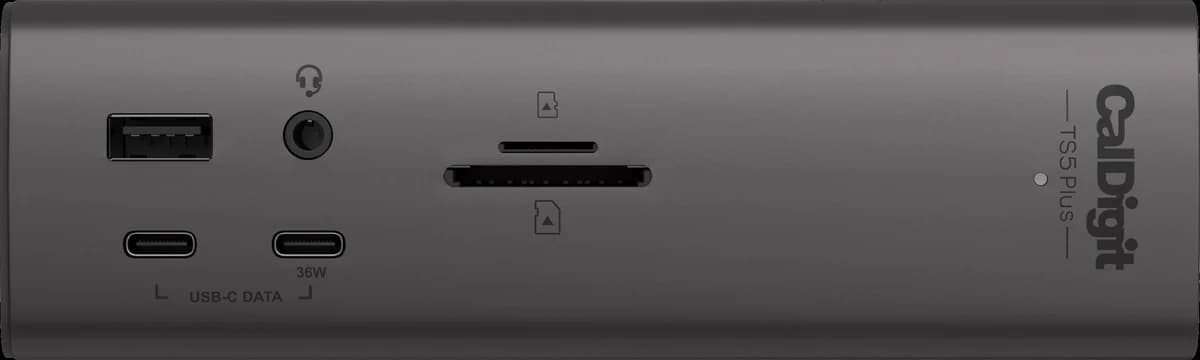
- CalDigit TS5 Plus
$499.99 at CalDigit (caldigit.com), Oct 12, 2026
- Plugable Thunderbolt 5 Dock (TBT-UDT3)
$299.95 at Plugable (plugable.com), Oct 12, 2026
- Type
- Anker Prime TB5 Docking Station (14-in-1)DockThunderbolt 5
- CalDigit TS5 PlusDockThunderbolt 5
- Plugable Thunderbolt 5 Dock (TBT-UDT3)DockThunderbolt 5
- Displays
- Anker Prime TB5 Docking Station (14-in-1)
Up to 3maker's maximum
Base M1/M2/M3 Macs: 1; M4 MacBooks can't run 3 over one Thunderbolt 5 connection
Full detail and source
Up to 3, depending on the laptop. Base M1/M2/M3 Macs: 1; M1/M2/M3 Pro/Max and all M4: 2; M4 MacBooks cannot run 3 over one Thunderbolt 5 connection
anker.com - CalDigit TS5 Plus
Up to 4maker's maximum
3 need an M5 Pro/Max or a supported Thunderbolt 5 Windows PC; 4 need an M5 Max
Full detail and source
Up to 4 (each 4K 144Hz, 5K 75Hz, 6K 60Hz or lower). 3x 4K 144Hz on M5 Pro, M5 Max or supported Thunderbolt 5 Windows PCs; 4x 4K 144Hz on M5 Max
caldigit.com - Plugable Thunderbolt 5 Dock (TBT-UDT3)
Up to 3maker's maximum
3 only on M5 Pro/Max Macs; Windows: 2; HDMI/DP monitors need adapters
Full detail and source
Mac: 3 on M5 Pro/Max; 2 on any M4, base M5 and earlier Pro/Max chips; base M3 2 with the lid closed; base M1/M2 1. Windows: 2 (up to 8K 120Hz on Thunderbolt 5, 4K 60Hz on 12th Gen+ Thunderbolt 4). HDMI/DP monitors need adapters
plugable.com - Laptop charging
- Anker Prime TB5 Docking Station (14-in-1)Up to 140W
- CalDigit TS5 PlusUp to 140W
- Plugable Thunderbolt 5 Dock (TBT-UDT3)Up to 140W on USB PD 3.1 computers; up to 100W on PD 3.0
- Host connection
- Anker Prime TB5 Docking Station (14-in-1)Thunderbolt 5 upstream port; Thunderbolt 5 cable included
- CalDigit TS5 PlusThunderbolt 5 host port (up to 120Gb/s); separate 1.0m Thunderbolt 5 cable included
- Plugable Thunderbolt 5 Dock (TBT-UDT3)Thunderbolt 5 host port (80Gbps); separate 1.0m Thunderbolt 5 cable included. Thunderbolt 3 computers not supported
- Power input
- Anker Prime TB5 Docking Station (14-in-1)Not verified
- CalDigit TS5 PlusExternal 330W power supply (included)
- Plugable Thunderbolt 5 Dock (TBT-UDT3)External 180W power adapter (included)
- Ports
- Anker Prime TB5 Docking Station (14-in-1)2x Thunderbolt 5, 3x USB-A (10Gbps), 2x USB-C (10Gbps), 1x HDMI 2.1 or DP 2.1 (one at a time), 2.5Gbps Ethernet, SD + TF, audio combo
- CalDigit TS5 Plus2x Thunderbolt 5 (80Gb/s), 5x USB-C (10Gb/s), 5x USB-A (10Gb/s), 1x DisplayPort 2.1, 10Gb Ethernet, SD 4.0, microSD 4.0, 3.5mm audio: front combo, rear in, rear out
- Plugable Thunderbolt 5 Dock (TBT-UDT3)3x Thunderbolt 5, 2x USB-A (10Gbps), 1x USB-A (5Gbps), 2.5Gbps Ethernet, SD + microSD, 3.5mm headset jack
- Facts checked
- Anker Prime TB5 Docking Station (14-in-1)Checked Oct 12, 2026 · anker.com
- CalDigit TS5 PlusChecked Oct 12, 2026 · caldigit.com
- Plugable Thunderbolt 5 Dock (TBT-UDT3)Checked Oct 12, 2026 · plugable.com
When Thunderbolt 4 is enough
Our takeIf your laptop has Thunderbolt 4 or USB4 (every MacBook without an M4 Pro, M4 Max, M5 Pro, M5 Max chip), a Thunderbolt 4 dock matches its port. MacBooks with base chips also cap external displays at one or two, so a dock built for three or four screens can't use its extra outputs there.
These connect over Thunderbolt 4 or USB4; laptop charging in each maker's words:
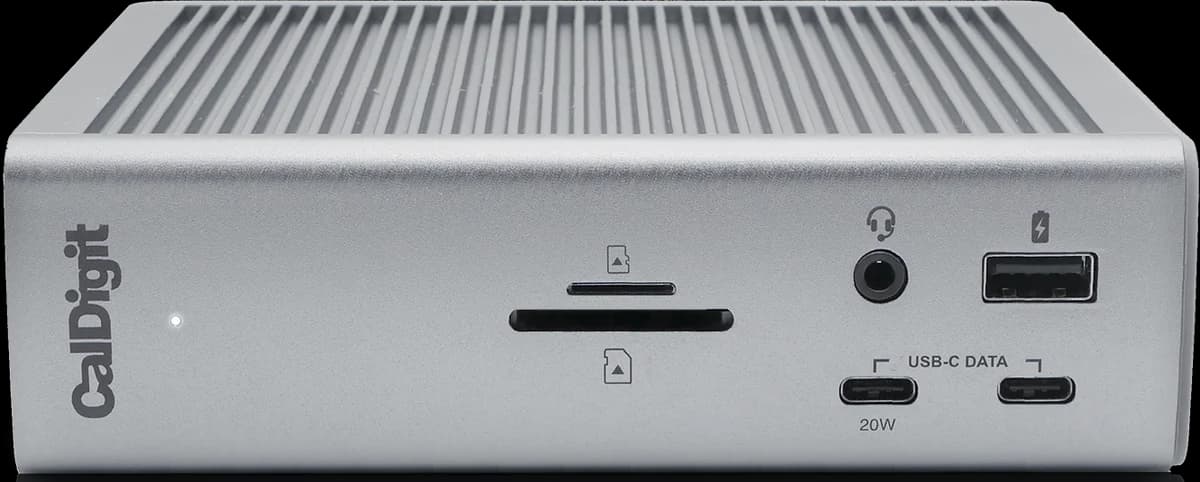 CalDigit TS4 Thunderbolt 4 Dock
Laptop charging: Up to 98W
- Dell WD22TB4 Thunderbolt Dock
Laptop charging: Up to 130W to Dell laptops; 90W to other laptops, Macs included
- OWC Thunderbolt Go Dock
Laptop charging: Up to 90W
- Razer USB4 Dock (14-in-1)
Laptop charging: Up to 100W peak, 96W sustained
Sources
Thunderbolt versions: the ports section of each MacBook's Tech Specs page on support.apple.com, checked Oct 12, 2026. Dock capabilities and their conditions: each maker's product page, as quoted in the product's review. Mac display limits by chip.