Mac · display limits
How many external displays your MacBook can run, by chip
The short answer
The chip in your MacBook sets how many external displays it can run, and a standard dock or hub can't raise that number. Apple lists:
- 1 external displayM1, M2, M3M3: a second external display with the lid closed
- 2 external displaysM1 Pro, M2 Pro, M3 Pro, M4, M4 Pro, M5M5: both over one Thunderbolt port
- 3 external displaysM5 ProM5 Pro: all three over one Thunderbolt port
- 4 external displaysM1 Max, M2 Max, M3 Max, M4 Max, M5 MaxM5 Max: all four over one Thunderbolt port
External displays as Apple lists them on each MacBook's Tech Specs page, checked Oct 12, 2026. The counts are in addition to the built-in screen, except the M3's second display, which needs the lid closed.
To see your chip: Apple menu → About This Mac. Then check the dock: it also needs enough video outputs, and some state their own Mac limits (below).
Your Mac's own limit, by chip
From AppleThese are the Mac's limits across all its ports together. Through one dock on one cable, the dock maker's own limit (further down) can be lower.
| Chip | External displays | MacBooks (Apple Tech Specs) |
|---|---|---|
| M1 | 1 | |
| M1 Pro | 2 | |
| M1 Max | 4 | |
| M2 | 1 | |
| M2 Pro | 2 | |
| M2 Max | 4 | |
| M3 | 1+1 with the lid closed | |
| M3 Pro | 2 | |
| M3 Max | 4 | |
| M4 | 2 | |
| M4 Pro | 2 | |
| M4 Max | 4 | |
| M5 | 2all over one Thunderbolt port | |
| M5 Pro | 3all over one Thunderbolt port | |
| M5 Max | 4all over one Thunderbolt port |
What a dock can and can't change
Our takeIt can't add displays beyond the chip's limit.A Thunderbolt or USB-C dock passes the Mac's own display outputs to its ports, so a base M1 or M2 MacBook stops at one external screen. (DisplayLink docks, which drive extra screens through a software driver, are a different kind of product; none is covered here.)
Two HDMI ports don't always mean two screens on a Mac.Some hubs split one connection into two HDMI outputs with a technique Macs don't support, so both screens show the same picture. Anker states this for the 553 hub; its review and the list below show it.
One cable or several.Apple's pages for M5-family MacBooks add that all their external displays can run over a single Thunderbolt port. Earlier pages don't say, and dock makers list their own limits for those Macs: Anker, for example, says M4 MacBooks can't run three displays over one Thunderbolt 5 connection to its Prime dock.
Through each dock: what its maker says about Macs
Maker dataThese makers state Mac-specific display limits for their product, in their own words:
- Anker 553 USB-C Hub (8-in-1)
Displays: Up to 2 (HDMI). One: 4K@60Hz on a DP 1.4 laptop, 4K@30Hz on DP 1.2. Two: 2K@60Hz on Windows, 4K@30Hz on Mac, and a Mac mirrors them (no extended desktop)
Maker's page: anker.com - Anker Prime TB5 Docking Station (14-in-1)
Displays: Up to 3, depending on the laptop. Base M1/M2/M3 Macs: 1; M1/M2/M3 Pro/Max and all M4: 2; M4 MacBooks cannot run 3 over one Thunderbolt 5 connection
Maker's page: anker.com - Baseus Spacemate RD1 Pro (15-in-1)
Displays: Up to 2. One: up to 4K@120Hz (HDMI 2 only). Two: up to 4K@60Hz each. macOS: one extended display, or two mirrored
Maker's page: baseus.com 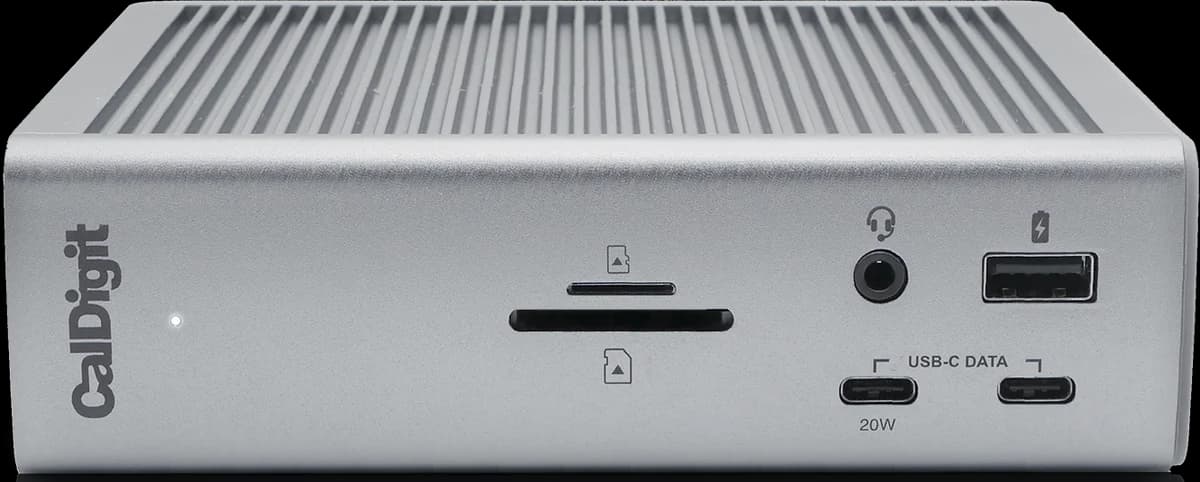 CalDigit TS4 Thunderbolt 4 Dock
Displays: Up to 2: one 8K or two 6K@60Hz. Base M1/M2/M3 Macs: 1 (M3 MacBook Air: 2 with the lid closed)
Maker's page: caldigit.com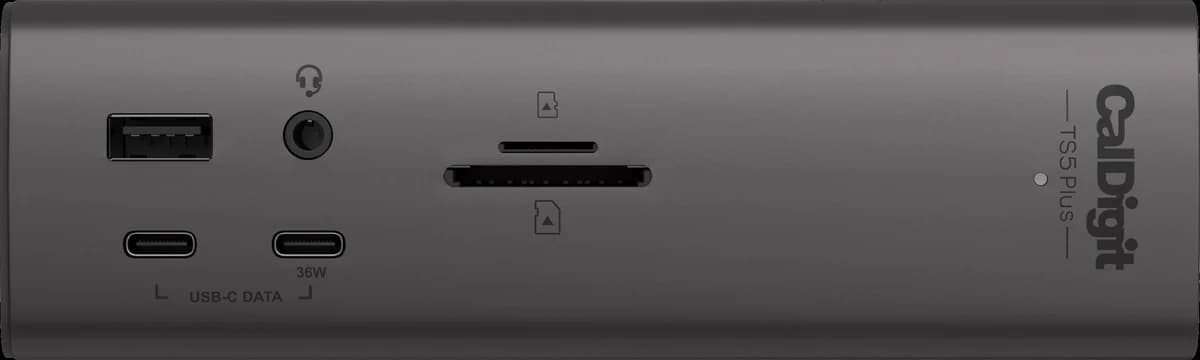 CalDigit TS5 Plus
Displays: Up to 4 (each 4K 144Hz, 5K 75Hz, 6K 60Hz or lower). 3x 4K 144Hz on M5 Pro, M5 Max or supported Thunderbolt 5 Windows PCs; 4x 4K 144Hz on M5 Max
Maker's page: caldigit.com- OWC Thunderbolt Go Dock
Displays: Up to 2: one 8K or up to two 4K, depending on the computer. OWC's table: base M1/M2 Macs get one display; M1/M2 Pro, Max and Ultra get two; M3 and later Macs aren't listed
Maker's page: eshop.macsales.com - Plugable Thunderbolt 5 Dock (TBT-UDT3)
Displays: Mac: 3 on M5 Pro/Max; 2 on any M4, base M5 and earlier Pro/Max chips; base M3 2 with the lid closed; base M1/M2 1. Windows: 2 (up to 8K 120Hz on Thunderbolt 5, 4K 60Hz on 12th Gen+ Thunderbolt 4). HDMI/DP monitors need adapters
Maker's page: plugable.com
For these we have no Mac-specific display statement on record. That doesn't mean the maker publishes none; check the maker's page before counting on more than one screen from a Mac:
- Razer USB4 Dock (14-in-1)
Displays: Up to 2: a 4K 120Hz primary display plus a secondary monitor
Maker's page: razer.com
Sources
Display limits: each MacBook's Tech Specs page on support.apple.com (linked in the table), quotes stored and re-checked on Oct 12, 2026. Dock statements: each maker's product page, as quoted in the product's review. How we review.