Dock charging · three things to check
Laptop charging slowly through a dock or hub: what to check
The short answer
- What the dock sends to the laptop.It's the “Laptop charging” figure, not the dock's power input or its total across all ports.
- What your laptop came with.If the dock's figure is lower than your laptop's own charger, the laptop charges more slowly while it works hard, and can run down under a heavy load.
- The conditions. Some docks send less to some laptops, and a hub can only pass on part of what your charger gives it. The cable matters too: use the one that came with the dock.
Input is not output
Maker dataHubs without their own power supply take your laptop charger in and keep some of it. The Anker 553 USB-C Hub (8-in-1) is a clear example, in Anker's figures:
- Power input
- Your own USB-C charger, into the PD-in port (up to 100W)
- Laptop charging
- Up to 85W
Figures that depend on the laptop
Maker dataRead the whole line, not just the biggest number:
- Dell WD22TB4 Thunderbolt Dock
Laptop charging: Up to 130W to Dell laptops; 90W to other laptops, Macs included
- Plugable Thunderbolt 5 Dock (TBT-UDT3)
Laptop charging: Up to 140W on USB PD 3.1 computers; up to 100W on PD 3.0
The adapter Apple puts in the box
From AppleCompare these with a dock's Laptop charging figure. Some models ship with different adapters by configuration, and Apple lists faster optional adapters for several; the Tech Specs page for your model has the detail.
| MacBook | In the box |
|---|---|
| MacBook Air (M1, 2020) | Not in our record: see Apple's page |
| MacBook Pro (13-inch, M1, 2020) | 61W USB-C Power Adapter USB-C Charge Cable (2 m) |
| MacBook Pro (14-inch, 2021) | 67W USB-C Power Adapter (M1 Pro with 8-core CPU) or 96W USB-C Power Adapter (M1 Pro with 10-core CPU or M1 Max) |
| MacBook Pro (16-inch, 2021) | 140W USB-C Power Adapter |
| MacBook Air (15-inch, M2, 2023) | 35W Dual USB-C Port Compact Power Adapter |
| MacBook Air (M2, 2022) | 30W USB-C Power Adapter (M2 with 8-core GPU) or 35W Dual USB-C Port Compact Power Adapter (M2 with 10-core GPU and 512GB storage) |
| MacBook Pro (13-inch, M2, 2022) | Not in our record: see Apple's page |
| MacBook Pro (14-inch, 2023) | 67W USB-C Power Adapter (M2 Pro with 10-core CPU) or 96W USB-C Power Adapter (M2 Pro with 12-core CPU or M2 Max) |
| MacBook Pro (16-inch, 2023) | 140W USB-C Power Adapter |
| MacBook Air (13-inch, M3, 2024) | 30W USB-C Power Adapter (M2 and M3 with 8-core GPU) or 35W Dual USB-C Port Compact Power Adapter (M2 and M3 with 10-core GPU and 512GB storage) |
| MacBook Air (15-inch, M3, 2024) | 35W Dual USB-C Port Compact Power Adapter |
| MacBook Pro (14-inch, M3, Nov 2023) | 70W USB-C Power Adapter (M3 or M3 Pro with 11-core CPU) |
| MacBook Pro (14-inch, M3 Pro or M3 Max, Nov 2023) | 70W USB-C Power Adapter (M3 or M3 Pro with 11-core CPU) or 96W USB-C Power Adapter (M3 Pro with 12-core CPU or M3 Max) |
| MacBook Pro (16-inch, Nov 2023) | 140W USB-C Power Adapter |
| MacBook Air (13-inch, M4, 2025) | 30W USB-C Power Adapter (M4 with 8‑core GPU) or 35W Dual USB-C Port Compact Power Adapter (M4 with 10‑core GPU) |
| MacBook Air (15-inch, M4, 2025) | 35W Dual USB-C Port Compact Power Adapter |
| MacBook Pro (14-inch, M4, 2024) | 70W USB-C Power Adapter (M4 or M4 Pro with 12-core CPU) |
| MacBook Pro (14-inch, M4 Pro or M4 Max, 2024) | Not in our record: see Apple's page |
| MacBook Pro (16-inch, 2024) | 140W USB-C Power Adapter |
| MacBook Air (13-inch, M5) | 40W Dynamic Power Adapter with 60W Max |
| MacBook Air (15-inch, M5) | 40W Dynamic Power Adapter with 60W Max |
| MacBook Pro (14-inch, M5) | 70W USB-C Power Adapter |
| MacBook Pro (14-inch, M5 Pro or M5 Max) | Not in our record: see Apple's page |
| MacBook Pro (16-inch, M5 Pro or M5 Max) | 140W USB-C Power Adapter |
Laptop charging, product by product
Maker data- Anker 553 USB-C Hub (8-in-1)
Laptop charging: Up to 85W
- Anker 555 USB-C Hub (8-in-1)
Laptop charging: Up to 85W
- Anker Prime TB5 Docking Station (14-in-1)
Laptop charging: Up to 140W
- Baseus Spacemate RD1 Pro (15-in-1)
Laptop charging: Up to 100W through the host port; 160W total across all ports
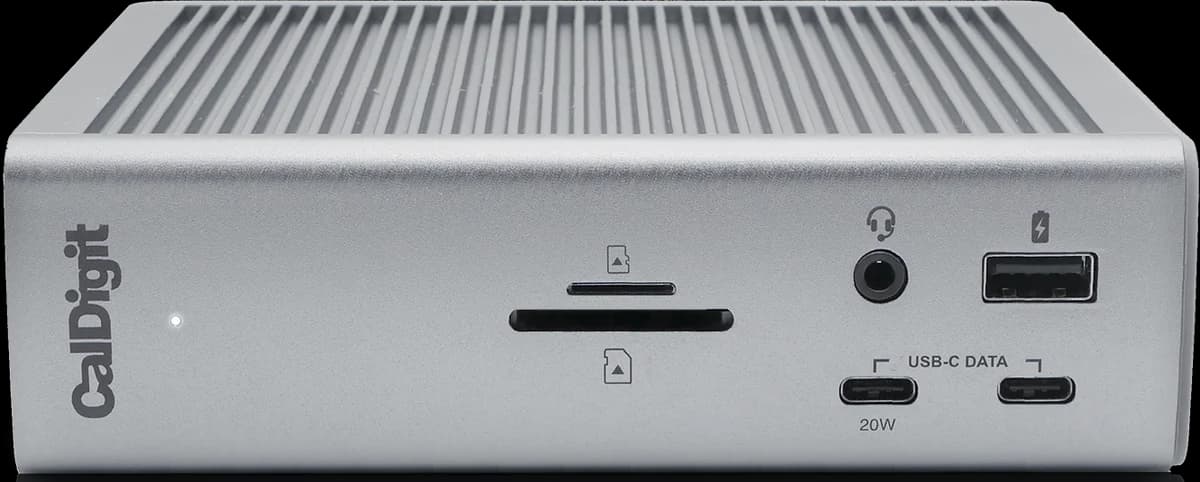 CalDigit TS4 Thunderbolt 4 Dock
Laptop charging: Up to 98W
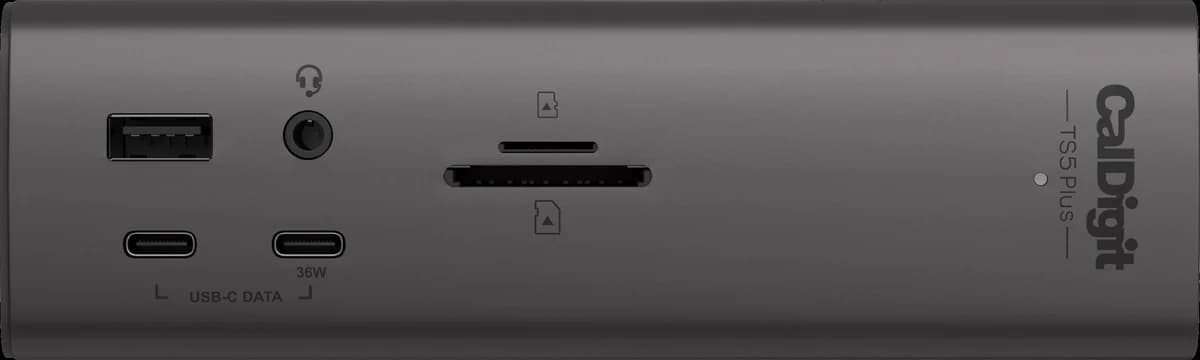 CalDigit TS5 Plus
Laptop charging: Up to 140W
- Dell WD22TB4 Thunderbolt Dock
Laptop charging: Up to 130W to Dell laptops; 90W to other laptops, Macs included
- Hiearcool 7-in-1 USB-C Hub
Laptop charging: Not verified
- OWC Thunderbolt Go Dock
Laptop charging: Up to 90W
- Plugable Thunderbolt 5 Dock (TBT-UDT3)
Laptop charging: Up to 140W on USB PD 3.1 computers; up to 100W on PD 3.0
- Razer USB4 Dock (14-in-1)
Laptop charging: Up to 100W peak, 96W sustained
Sources
Adapters: the “In the Box” section of each MacBook's Tech Specs page on support.apple.com, checked Oct 12, 2026. Charging figures and their conditions: each maker's product page, as quoted in the product's review. How we review.